
How to Submit Your Resumé on Jobs.gy
Your Jobs.gy resumé is an online profile that employers across Guyana can find. Follow these steps to create it, make it stand out and keep it up to date.
Before you start, have these ready:
- Your CV, saved as a PDF
- A clear, professional photo (optional)
- The names and dates of your schools
- Your past jobs, with dates and duties
- A list of your main skills
- Links to LinkedIn or your portfolio (optional)
Click Submit a Resumé
From any page on Jobs.gy, click Submit a Resumé in the top menu. You can also use the Upload Resumé button at the bottom of every page.

Create a free candidate account
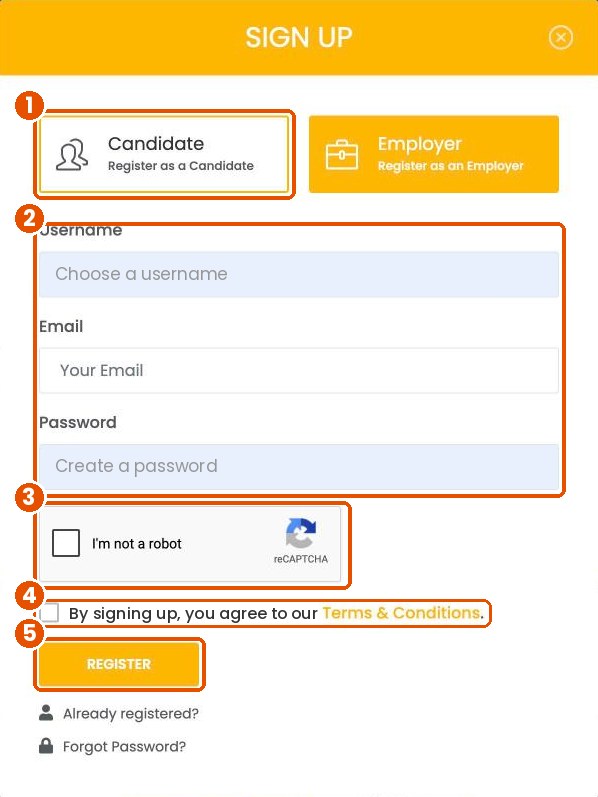
You’ll need an account to save your resumé. Click My Account at the top of the page, then Don’t have an account? If you already have one, just sign in.
- Select Candidate.
- Choose a username, then enter your email and a strong password.
- Tick the I’m not a robot box.
- Tick the box to agree to the Terms and Conditions.
- Click Register.
Add your details
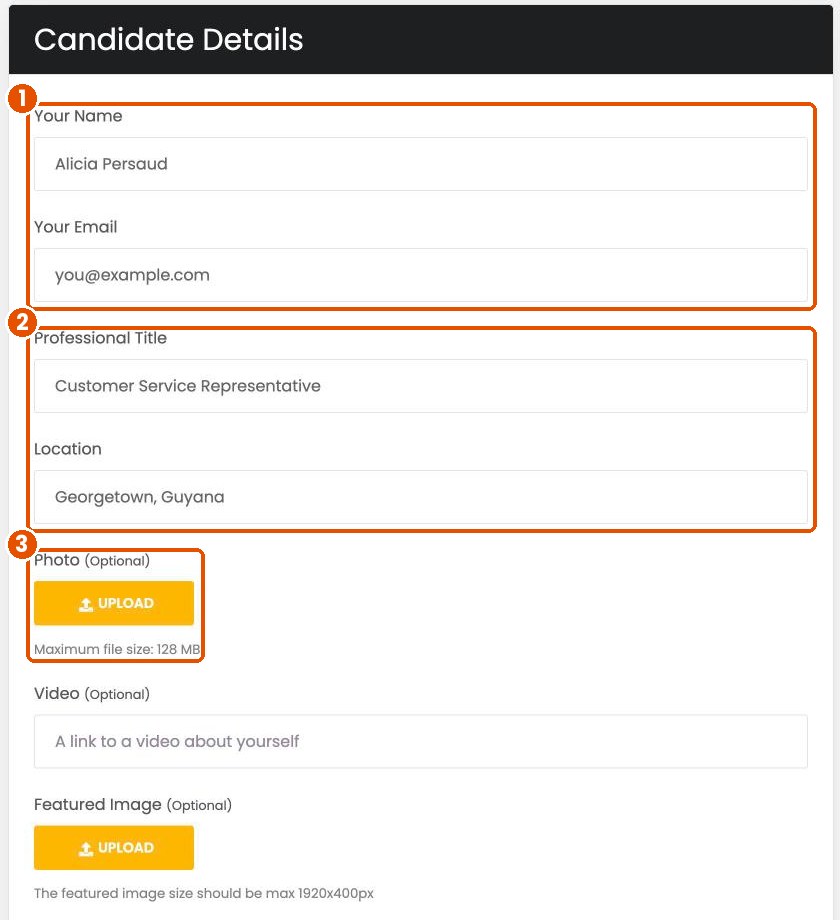
- Enter your full name and the email address employers should use to contact you.
- Add your Professional Title, such as “Accounts Clerk” or “Heavy Duty Mechanic”, and where you live.
- Click Upload under Photo to add a headshot. This is optional.
Tip: Use a professional email address, ideally your first and last name. Use a photo with a plain background where your face is clear.
Write about yourself
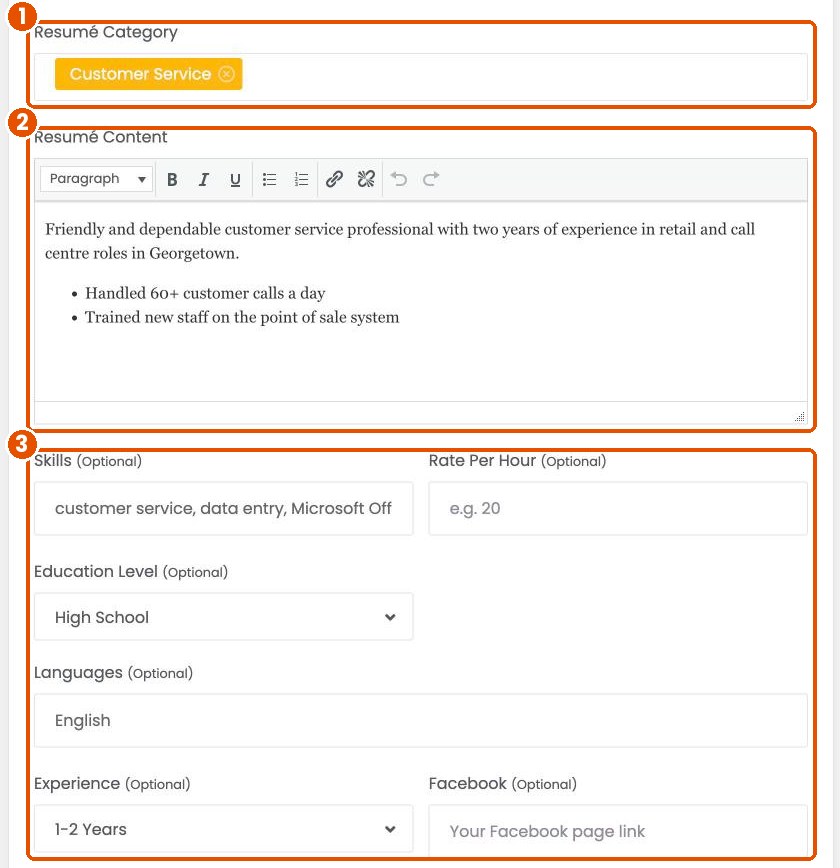
- Choose the Resumé Category that matches the work you want. You can pick more than one.
- In Resumé Content, write a short summary of who you are, your experience and what you’re good at. Use bullet points for your main achievements.
- Add your skills, education level, languages and years of experience.
Tip: Employers search by keywords. Use the words from job listings you’re interested in, such as “data entry”, “forklift” or “QuickBooks”, in your skills and summary.
Add your links
These are optional, but they help employers learn more about you.
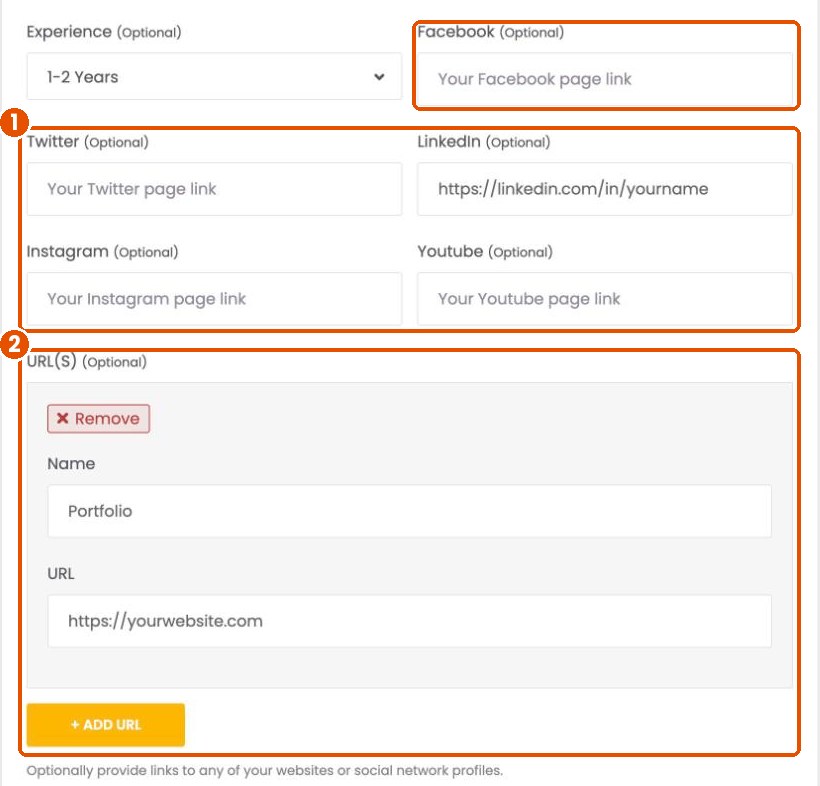
- Paste links to your Facebook, Twitter, LinkedIn, Instagram or YouTube pages. Only add pages you’d be happy for an employer to see.
- Under URL(S), add a name and link for anything else, such as an online portfolio. Click Add URL to add more.
Add your education and work experience
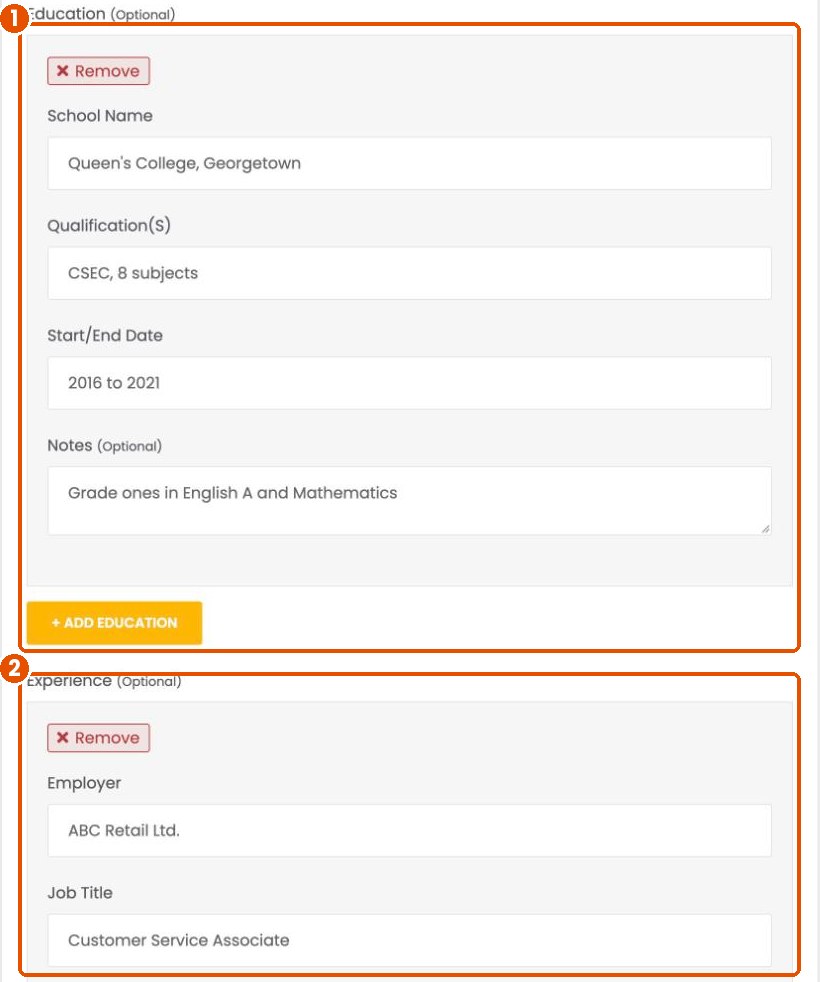
- Click Add Education, then enter the school name, your qualifications, the start and end dates and any notes, such as grades. Click it again to add another school.
- Click Add Experience, then enter the employer, your job title, the dates and a short note about your duties. Add your most recent job first.
No work experience yet? Add volunteer work, internships, church or community roles, or school clubs. They all show employers you’re reliable.
Upload your CV, preview and submit
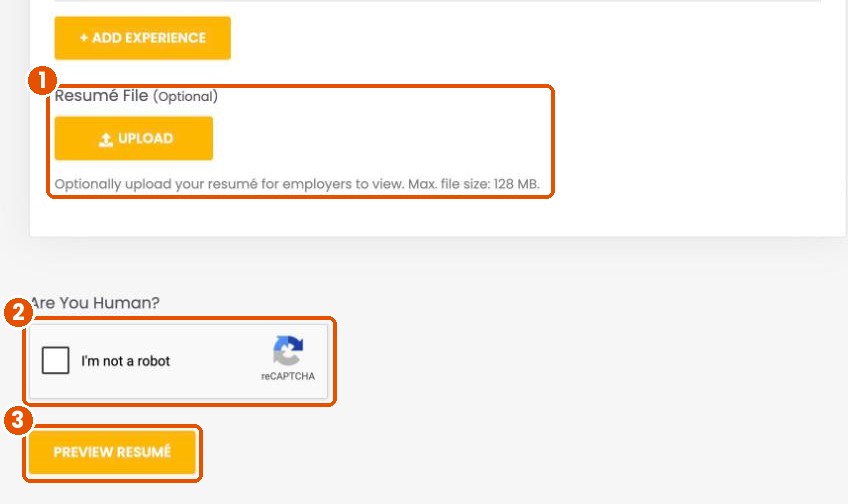
- Under Resumé File, click Upload and choose your CV. A PDF works best.
- Tick the I’m not a robot box.
- Click Preview Resumé. Check everything carefully, then click Submit Resumé. To make changes first, click Edit Resumé to go back.
Update your resumé any time
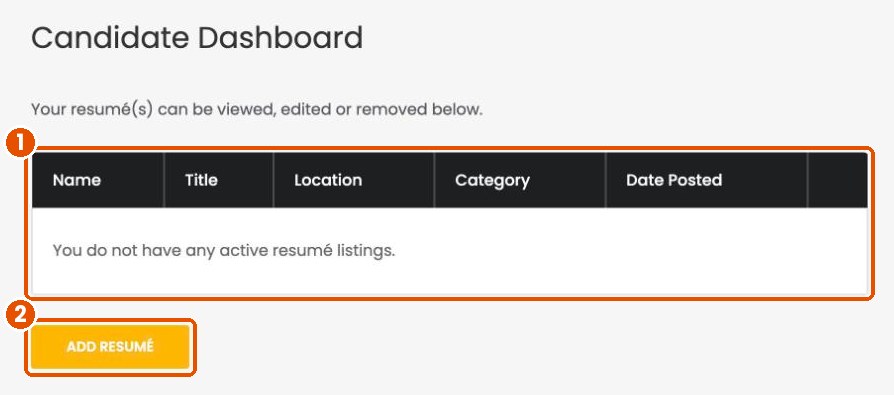
Click My Resumés in your dashboard to see your resumé.
- Your resumés are listed here. You can view, edit or remove them at any time.
- Click Add Resumé to create another one, for example if you’re looking for work in two different fields.
Keep it fresh. Update your resumé whenever you finish a course, earn a certificate or start a new job, so employers always see your latest experience.
Let employers find you
Add your resumé today and get seen by employers across Guyana.
Submit a Resumé